No products in the cart.







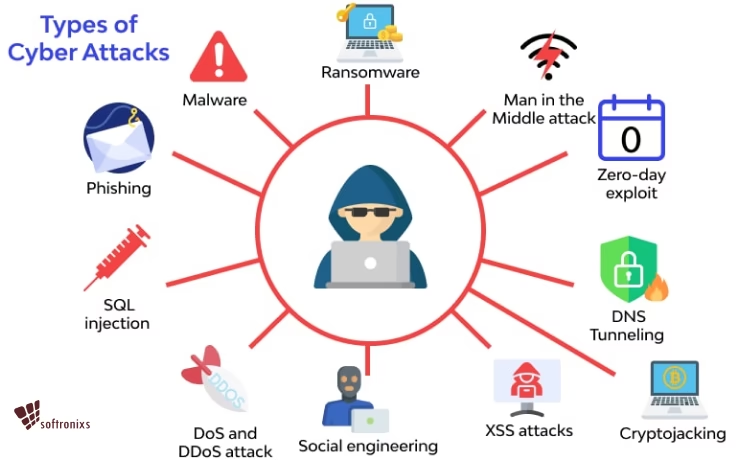
Cyber threats are on the rise, and work emails are a prime target for hackers. To stay protected, you must take the right precautions. Follow these essential steps to safeguard your emails and prevent unauthorized access.
🔒 Best Practices to Secure Your Work Emails
1️⃣ Use Strong & Unique Passwords
🔹 First, avoid common passwords like 123456 or password.
🔹 Instead, create a mix of uppercase letters, numbers, and symbols.
🔹 Additionally, update passwords every few months for better security.
2️⃣ Enable Two-Factor Authentication (2FA)
🔹 Adding a second layer of security helps protect your account.
🔹 Even if a hacker gets your password, they won’t access your email.
🔹 To improve security, use an authentication app instead of SMS codes.
3️⃣ Identify & Avoid Phishing Emails 🎣
🔹 Since hackers send fake emails, always verify the sender’s address.
🔹 Before clicking any link, hover over it to check its legitimacy.
🔹 Most importantly, never download attachments from unknown sources.
4️⃣ Keep Software & Antivirus Updated
🔹 Security patches fix vulnerabilities, so update regularly.
🔹 Installing antivirus software prevents malware attacks.
🔹 Moreover, enable automatic updates to stay protected.
5️⃣ Use Business Email Services
🔹 Personal accounts lack advanced security features.
🔹 Company-approved email providers offer better encryption.
🔹 In addition, IT teams can monitor threats effectively.
6️⃣ Encrypt Emails Containing Sensitive Information 🔐
🔹 Protect confidential data by enabling email encryption.
🔹 This ensures only the intended recipient can read your message.
🔹 Furthermore, encryption prevents data leaks.
7️⃣ Avoid Public Wi-Fi Without a VPN ☕🚫
🔹 Public networks are unsafe because hackers can intercept data.
🔹 A VPN (Virtual Private Network) encrypts your connection.
🔹 Instead of using open Wi-Fi, opt for mobile data or secure networks.
8️⃣ Log Out After Each Session 🚪
🔹 Leaving accounts open increases the risk of unauthorized access.
🔹 Always log out, especially when using shared or public devices.
🔹 Besides that, enable automatic logout for inactive sessions.
Need IT Security Assistance in Qatar?
📍 Location: Shop No. 511, Dawodia City – Mesaimeer, Qatar
📞 Phone/WhatsApp: +974 30039394
🌐 Website: www.clevercomputer.qa
📩 Email: info@clevercomputer.qa
🕒 Timings: Sat–Thu: 10 AM – 10 PM | Fri: Closed