
No products in the cart.







Is your laptop turning off suddenly even though the battery is full? 😩 This can be frustrating, but don’t worry! Here’s how to troubleshoot and fix the issue yourself.
🔍 Possible Reasons & Fixes
1️⃣ Overheating Issue 🔥
✅ Check the Fan & Vents – Dust buildup can cause overheating.
✅ Clean the Air Vents – Use compressed air to remove dust.
✅ Use a Cooling Pad – Helps keep your laptop’s temperature low.
2️⃣ Faulty Battery or Power Issues 🔋
✅ Check Battery Health – Go to Windows Command Prompt → Type powercfg /batteryreport to check the battery condition.
✅ Test with a Different Charger – A faulty charger can cause power fluctuations.
✅ Remove & Reinsert the Battery – If your laptop has a removable battery, try taking it out and putting it back in.
3️⃣ Software or Driver Problems ⚠️
✅ Update Windows & Drivers – Outdated software can cause shutdowns.
✅ Scan for Malware – Run Windows Defender or an antivirus scan.
✅ Check Power Settings – Go to Control Panel > Power Options and ensure it’s not set to shut down randomly.
4️⃣ Hardware Issues 🛠️
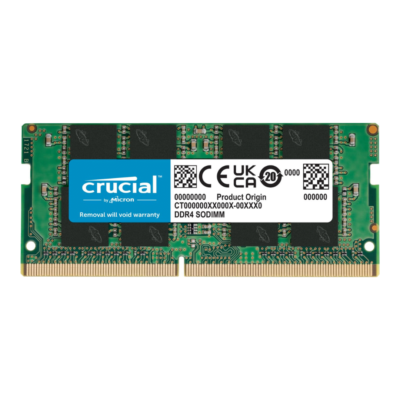
✅ Loose RAM or Hard Drive – If hardware is not connected properly, your laptop may shut down.
✅ Test Your Laptop in Safe Mode – If the issue stops, a software conflict is likely causing the problem.
✅ Visit a Repair Shop – If none of the above works, the issue may be with the motherboard or internal circuits.
📍 Need Professional Help in Qatar? Clever Computer Can Fix It!
If your laptop keeps shutting down, Clever Computer Qatar can diagnose and repair the issue for HP, Dell, Lenovo, and ASUS laptops at an affordable price!
📍 Address: Shop No. 511, Dawodia City – Mesaimeer, Qatar
📞 Phone/WhatsApp: +974 30039394
🌐 Website: www.clevercomputer.qa
📩 Email: info@clevercomputer.qa
🕒 Timings: Sat–Thu: 10 AM – 10 PM | Fri: Closed